
GITALLER firmware update Guide 20201013
GITALLER firmware update Guide 20201013
Section titled “GITALLER firmware update Guide 20201013”Download firmware
Section titled “Download firmware”Firmware upgrade tutorial
Section titled “Firmware upgrade tutorial”-
Uncompress the firmware archive
Uncompress the downloaded firmware archive to a local folder.
-
Confirm USB is unplugged
Confirm your GITALLER USB cable is unplugged from PC.
-
Enter firmware upgrade mode
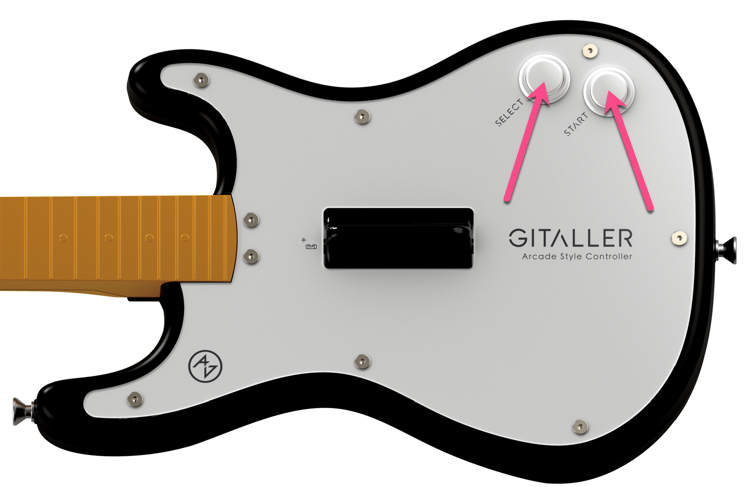
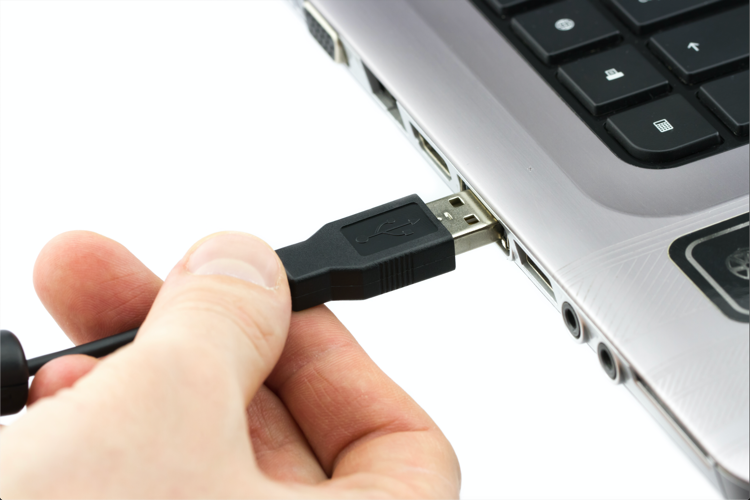
Push START + SELECT buttons at the same time, do not release. Plug GITALLER USB cable to PC with your other hand. Then release the START + SELECT buttons.
-
Open firmware upgrade program
Open
GITALLER_firmware_APP.exe.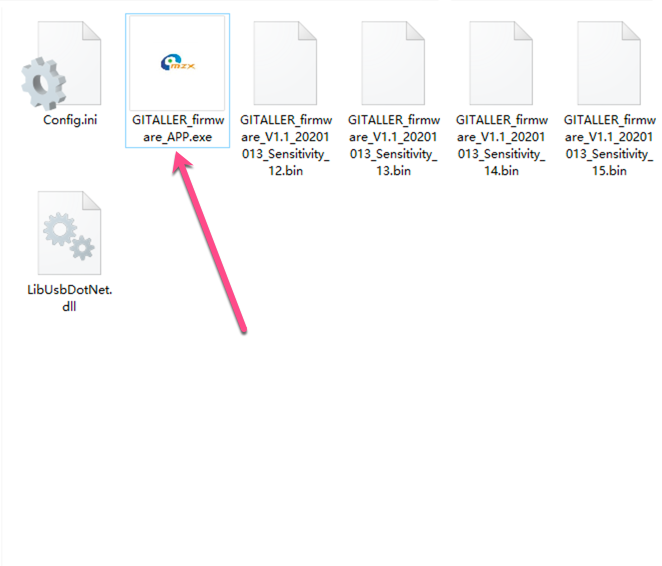
-
Load firmware file
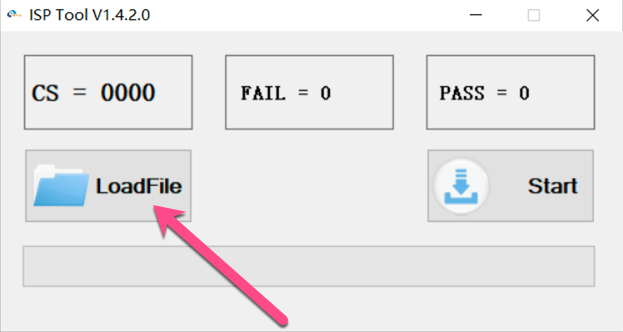
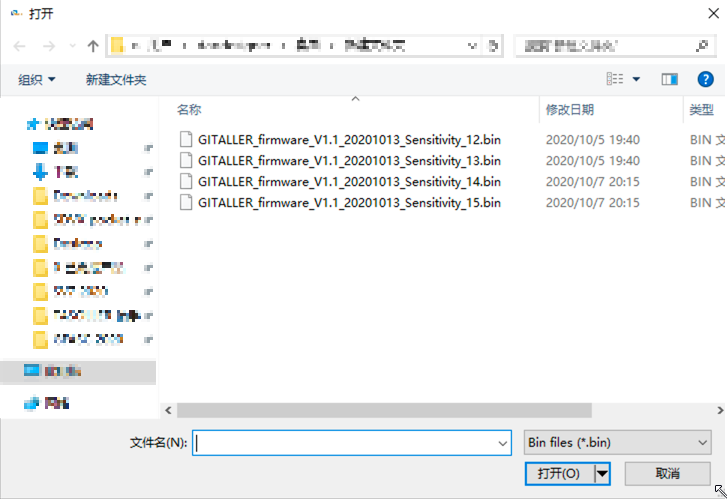
Click the LoadFile button, find your downloaded firmware folder, select
GITALLER_firmware_V1.1_20201013_Sensitivity_14.bin.The suffix Sensitivity_12 means lower sensitivity, Sensitivity_15 means higher sensitivity. We recommend Sensitivity_14 firmware.
-
Start upgrade
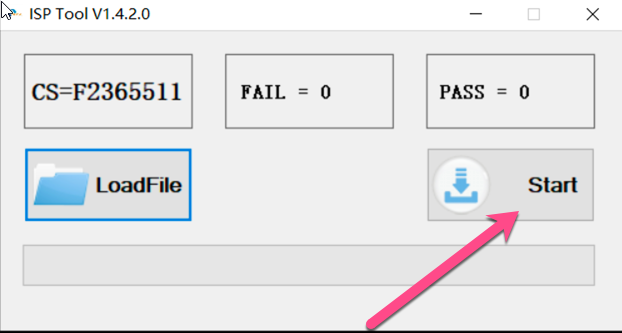
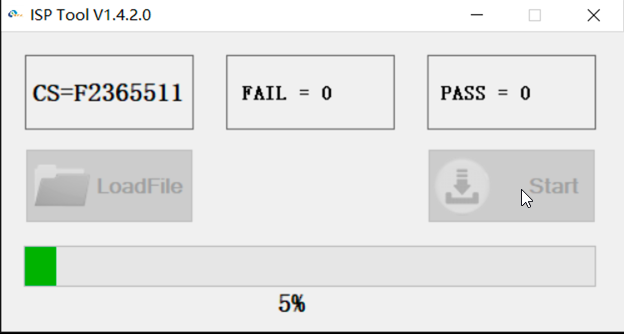
Click the Start button to begin updating. Wait for the progress bar to complete.
-
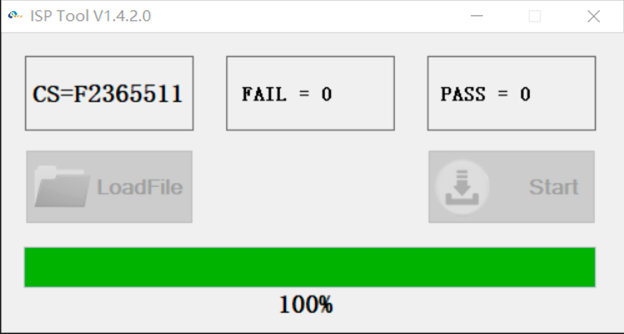
Upgrade complete
After success, replug your GITALLER USB cable (very important).
Problems solved
Section titled “Problems solved”- Cleared the misfire problem when you pick up or pick down
- Provides 4 sensitivity firmwares for wailing
Button configuration reference
Section titled “Button configuration reference”GITADORA trial settings
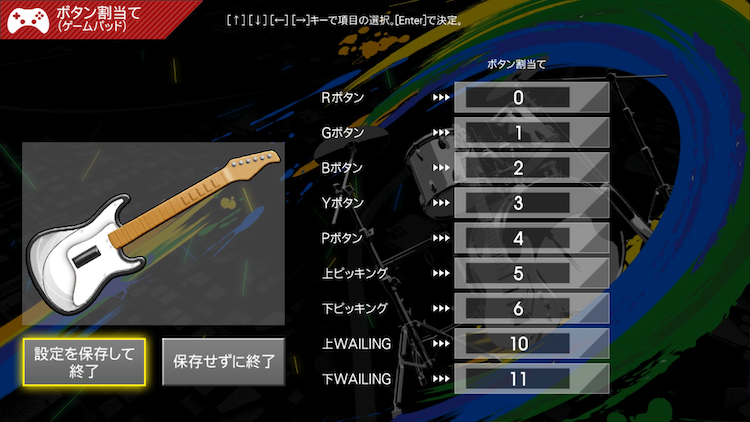
Section titled “GITADORA trial settings”In GITADORA trial, the first button shows as 0, wailing_up shows as 10, wailing_down shows as 11.
DTXmania settings
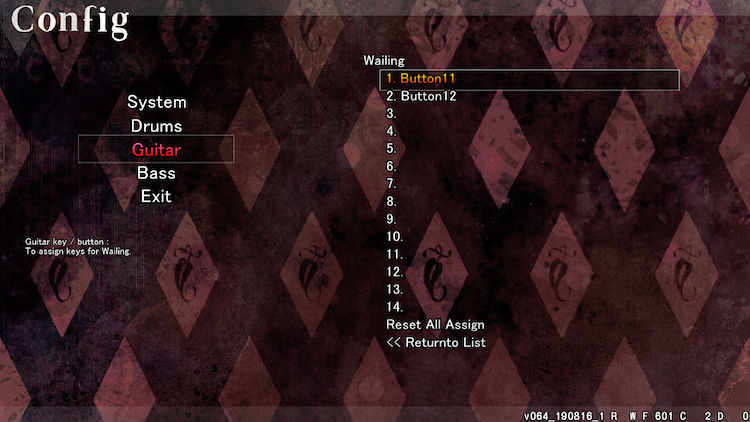
Section titled “DTXmania settings”In DTXmania, the first button shows as 1, wailing_up shows as 11, wailing_down shows as 12.
© 2026 GAMO2 Docs